A New Way to Make Loan Payments or Deposits
QuickPay
Life can get hectic, and it’s easy for loan payments to slip through the cracks. To keep you from worrying about late fees, The United Methodist Credit Union proudly introduces QuickPay, a convenient tool designed for those moments when time is of the essence. With QuickPay, you can make a loan payment quickly and avoid late penalties. And it’s available 24/7!
Effortless Mobile Payments & Transfers
QuickPay enables you to initiate payments swiftly using any credit or debit card, external bank or credit union account. It’s the ideal solution for ensuring your payments are on time, especially when you’re down to the wire.
It can be used for deposits, too. Use QuickPay to transfer money into your savings or checking account here at TUMCU.
Stay Ahead of Late Fees
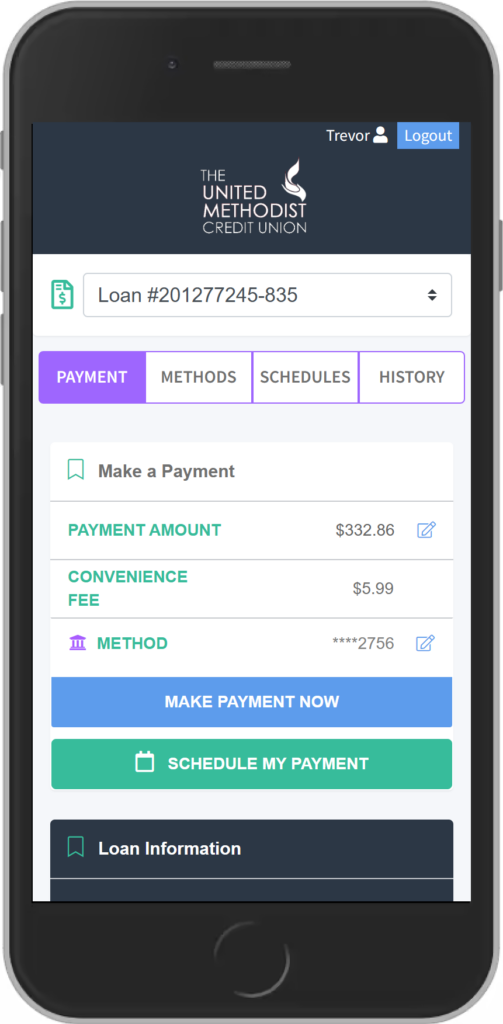
With QuickPay, you’re not just making a payment; you’re taking an intelligent step to save money and keep your account in good standing. The small $5.99 convenience fee applied to each loan payment using a credit card is a cost-effective alternative to a $25 late fee, providing you with peace of mind and financial flexibility when needed. There is also a no-fee option using an electronic transfer from another bank or credit union.
Setting up Your Account
How TransferPay Works
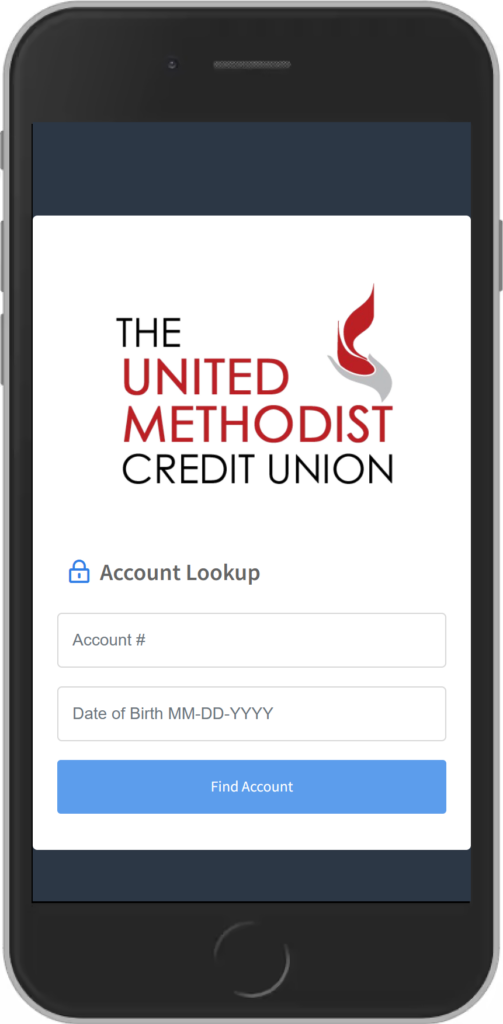
1. Verify Your Account
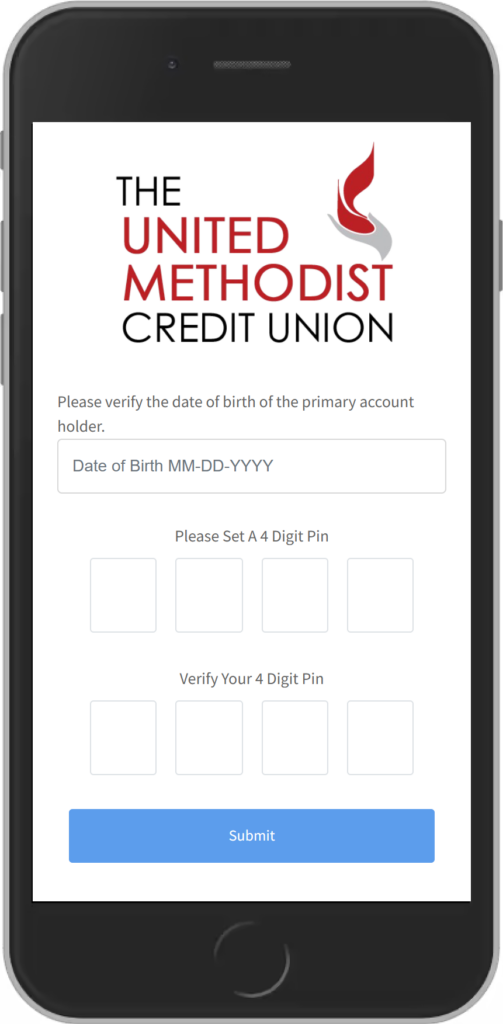
2. Create Your 4-Digit PIN
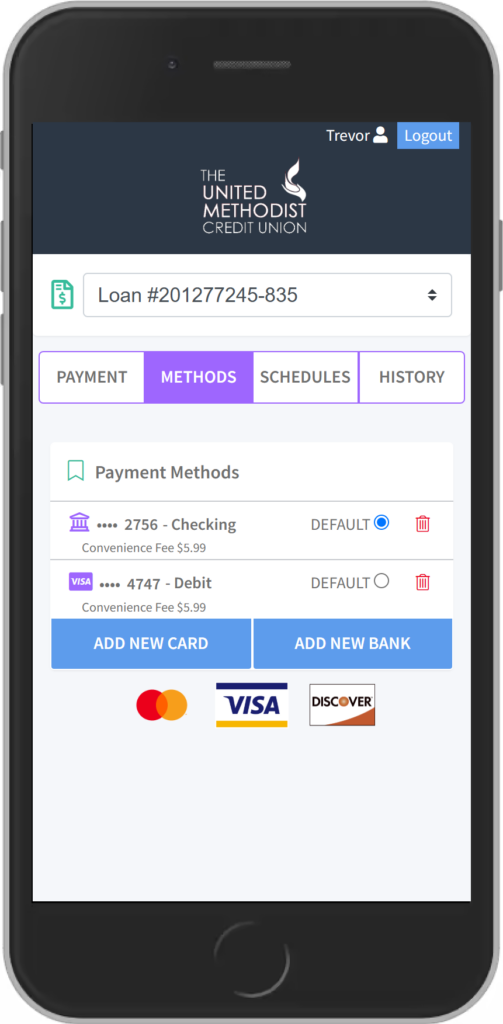
3. Add or Edit Payment Methods
4. Make Secure Payments
The link will take you to a portal where you will be asked to verify your account with your account number and date of birth.
When you verify your account for the first time, you’ll have to set up the following:
- 4-Digit PIN: Once you’ve entered your account number and date of birth, you’ll be prompted to create a 4-digit PIN. Store this information in a secure location; you’ll need your PIN number to verify future payments.
- Preferred method of payment: To make a payment, you will have to add a preferred form of payment in the portal. You can do this by selecting “Add New Debit Card” or “Add New Bank Account” which will prompt a secure website for you to input your information. If completed correctly, there will be a message stating “Payment Method Success” and you’ll be redirected to the payment portal.
- Once your account has been successfully verified, you’ll be directed to the payment portal where you will be able to see all of your loans and will also be able to select your preferred payment method.
QuickPay Benefits - Transaction fee to use QuickPay with a credit card is only $5.99
- Transfer from a bank or credit union account is free
- Encrypted information guarantees your information is secure
- Payments and transfers accepted from all external savings accounts, checking accounts, and credit cards

Equal Housing Lender - We do business in accordance with the Federal Fair Housing Law and the Equal Housing Opportunity Act.